Category: Samsung Tablets
Sell Your Samsung Tablet for Cash in Australia
An unwanted Samsung Galaxy Tab may still have value. Whether you have upgraded to a newer tablet, changed devices or no longer use your Galaxy Tab, Sell Your Mobile gives you a convenient way to check its available value online.
If you have been asking, “Where can I sell my Samsung tablet?”, start by finding your exact model below. Choose the correct storage, connectivity and condition to review the available quote before deciding whether you want to proceed.
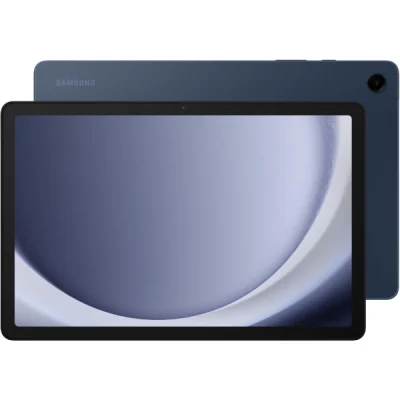
- Samsung Tablet 11 Series, Samsung Tablets
Samsung Galaxy Tab A11+ 11″ 5G
- $50.00 – $150.00Price range: $50.00 through $150.00
- Select options This product has multiple variants. The options may be chosen on the product page
- Samsung Tablet 11 Series, Samsung Tablets
Samsung Galaxy Tab A11+ 11″ Wi-Fi
- $10.00 – $95.00Price range: $10.00 through $95.00
- Select options This product has multiple variants. The options may be chosen on the product page

- Samsung Tablet 12 Series, Samsung Tablets
Samsung Galaxy Tab S12 Plus 5G
- $250.00 – $700.00Price range: $250.00 through $700.00
- Select options This product has multiple variants. The options may be chosen on the product page
- Samsung Tablet 12 Series, Samsung Tablets
Samsung Galaxy Tab S12 Plus WiFi
- $200.00 – $650.00Price range: $200.00 through $650.00
- Select options This product has multiple variants. The options may be chosen on the product page
- Samsung Tablet 12 Series, Samsung Tablets
Samsung Galaxy Tab S12 Ultra 5G
- $250.00 – $750.00Price range: $250.00 through $750.00
- Select options This product has multiple variants. The options may be chosen on the product page
- Samsung Tablet 12 Series, Samsung Tablets
Samsung Galaxy Tab S12 Ultra WiFi
- $200.00 – $700.00Price range: $200.00 through $700.00
- Select options This product has multiple variants. The options may be chosen on the product page
Sell Samsung Tablet for Cash Without a Private Listing
Selling a tablet privately can involve creating an advertisement, answering questions, negotiating with potential buyers and arranging an in-person meeting. Sell Your Mobile provides an online alternative that allows you to begin with your device details.
Select the Galaxy Tab that matches your tablet, provide accurate information and review the available valuation. If you are satisfied with the quote, you can follow the instructions to prepare and send your device for assessment.
Start With the Correct Galaxy Tab
Choosing the correct tablet is important because Samsung produces different versions of similar Galaxy Tab models. Two tablets may look alike but have different storage capacities or connectivity options.
The Samsung tablets currently listed on this page include:
- Samsung Galaxy Tab A11+ 11″ 5G
- Samsung Galaxy Tab A11+ 11″ Wi-Fi
- Samsung Galaxy Tab S11 5G
- Samsung Galaxy Tab S11 WiFi
- Samsung Galaxy Tab S11 Ultra 5G
- Samsung Galaxy Tab S11 Ultra WiFi
Open the relevant product page and select the options that match your device. Do not choose a 5G tablet if you own the Wi-Fi version, as the specifications and available valuations may be different.
If your tablet is not currently listed, check the website again later or visit the Sell Your Mobile FAQs for information about requesting assistance.
Why the Exact Model and Specifications Matter
The value of a Samsung tablet is not based on its appearance alone. Several details can affect the available quote.
These may include –
- Exact Galaxy Tab model
- Wi-Fi or 5G connectivity
- Storage capacity
- Screen condition
- Body and frame condition
- Battery performance
- Charging functionality
- Display functionality
- Whether the tablet powers on
- Current demand for the model
Before selecting your device, check the model and storage information in the tablet’s settings. This can help you avoid choosing the wrong product or storage option.
Wi-Fi and 5G Tablets Are Different
Some of the Samsung Galaxy Tabs available through Sell Your Mobile have separate Wi-Fi and 5G listings.
A Wi-Fi tablet connects to the internet through an available wireless network. A 5G tablet can also support mobile connectivity when used with a compatible service and SIM. Because these models have different specifications, it is important to choose the correct version.
If you are unsure which version you own, check the tablet’s device information and look for a SIM tray. You can also check the original packaging if it is still available.
Check Your Tablet’s Condition Carefully
Your Samsung tablet’s physical and functional condition can influence its valuation. Remove the tablet from its case and inspect it under a bright light before selecting a condition.
Check for:
- Scratches or cracks on the screen
- Dents, scuffs or marks on the body
- Damage or bending around the frame
- Screen separation
- Display discolouration or white spots
- Screen burn or dead pixels
- Charging problems
- Buttons that do not respond
- Battery performance issues
- Problems connecting to Wi-Fi
- Damage to the cameras or charging port
Condition options vary between product listings. Select the option that accurately represents your device rather than choosing a better condition to receive a higher initial quote. Your tablet will be inspected after it arrives.
A Clear Online Selling Process
Selling your Samsung tablet begins with a few straightforward steps.
1. Find Your Tablet -
Choose the exact Samsung Galaxy Tab from the product listings. Confirm whether it is a Wi-Fi or 5G model.
2. Select the Correct Details -
Choose the tablet’s storage capacity and the condition that most accurately describes its screen, body and functionality.
3. Review the Available Quote -
The website will show the available value based on the information you provide. Review the details carefully before confirming your sale.
4. Prepare and Send the Tablet -
Follow the instructions provided after accepting the quote. Sell Your Mobile offers a free prepaid shipping option for sending eligible devices within Australia.
5. Device Assessment -
After your Galaxy Tab arrives, it will be inspected to confirm its model, specifications, condition and functionality.
6. Receive Payment -
Once the assessment has been completed and the device has been approved, payment can be arranged through PayPal or bank transfer.
Visit the How It Works page for additional information about the process.
Can a Damaged Samsung Tablet Still Have Value?
Don’t assume a scratched or damaged Galaxy Tab has no value. Some Samsung tablet listings provide condition options for devices with noticeable wear, cracks, housing damage or broken components.
Eligibility depends on the exact tablet and the condition choices available on its product page. Describe all damage accurately when requesting your quote.
Damage that may affect an assessment includes –
- Cracked glass
- A damaged display
- Deep scratches
- Bent housing
- Battery problems
- Charging faults
- Broken buttons
- A tablet that does not power on
The guide to selling a broken or damaged device in Australia explains how different faults can influence a device’s resale potential.
FAQ About Selling Your Samsung Tablets
Where can I sell my Samsung tablet in Australia?
You can sell an eligible Samsung Galaxy Tab online through Sell Your Mobile. Find your exact tablet, select the correct storage, connectivity and condition, and review the available quote before confirming your sale.
How much is my Samsung Galaxy Tab worth?
The available value depends on the tablet’s model, storage capacity, Wi-Fi or 5G connectivity, physical condition, functionality and current demand. Select the product that matches your device to check the available valuation.
Can I sell Samsung tablet for cash if it is damaged?
Some Samsung tablet listings include condition options for devices with scratches, cracks, housing damage or functional faults. Options vary by model, so choose the condition that best describes your tablet.
How do I identify my Samsung tablet model?
Check the device information in your tablet’s settings. Confirm the exact model, storage capacity and whether it is a Wi-Fi or 5G version before requesting your quote.
Do I need to remove my personal information?
Yes. Back up the files you want to keep, sign out of your Samsung and Google accounts, remove your SIM card if applicable, and factory reset the tablet before sending it.
Is shipping free within Australia?
Sell Your Mobile provides a free prepaid shipping option for eligible devices within Australia. Package your tablet securely and keep the tracking information provided with your shipment.
When will I receive payment?
Payment is arranged after your tablet has been received, inspected and approved. You can choose PayPal or bank transfer as your payment method.
What should I do if my Samsung tablet is not listed?
Sell Your Mobile regularly updates the devices available on the website. Check again later or contact the customer support team to ask whether a valuation is available for your model.
Contact Us Today
Need help identifying your Samsung tablet or selecting the correct condition? Our team can assist with questions about your device, online quote, shipping instructions or payment.
Call us today or email support@sellyourmobile.com.au for assistance.
Helpful Tips Before Selling Your Galaxy Tab
Explore our practical guides for advice on preparing your Samsung tablet, protecting your personal information and understanding how damage may affect its value.