
Category: ipad
Sell Your iPad Online in Australia
An Apple iPad you no longer use could still have value. Whether you have upgraded, changed devices or simply have a tablet sitting unused, Sell Your Mobile makes it easy to check your iPad’s value online.
Find your model, select the appropriate storage and condition, and review the available offer. If you decide to proceed, your device will be assessed after it arrives, and payment can be arranged once it has been approved.
Our listings include selected iPad, iPad Air, iPad mini and iPad Pro models, making it easier to find the device you own.
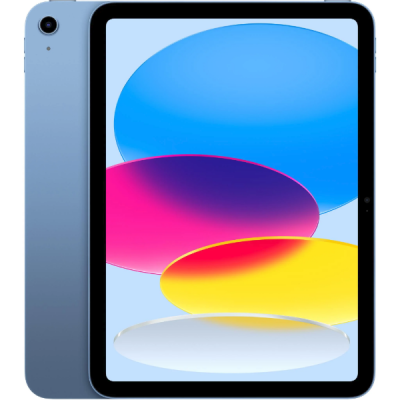
- Apple iPad 11 Series, ipad
Apple iPad 11 inch (A16)
- $30.00 – $570.00Price range: $30.00 through $570.00
- Select options This product has multiple variants. The options may be chosen on the product page
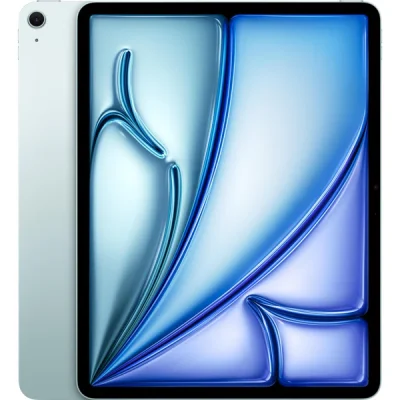
- Apple iPad 11 Series, ipad
Apple iPad Air 11″ (2024) Cellular
- $300.00 – $600.00Price range: $300.00 through $600.00
- Select options This product has multiple variants. The options may be chosen on the product page
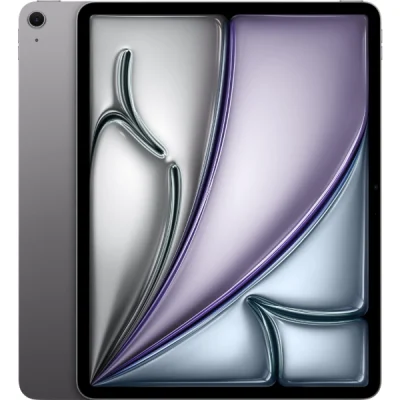
- Apple iPad 11 Series, ipad
Apple iPad Air 11″ (2024) WiFi
- $250.00 – $550.00Price range: $250.00 through $550.00
- Select options This product has multiple variants. The options may be chosen on the product page
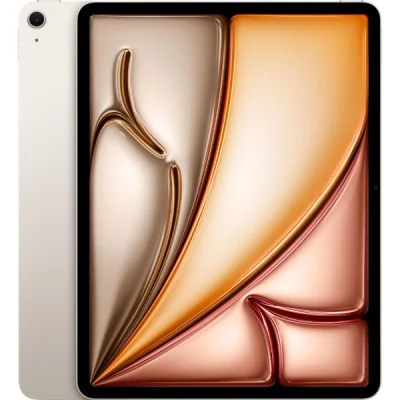
- Apple iPad 13 Series, ipad
Apple iPad Air 13″ (2025) Cellular
- $350.00 – $650.00Price range: $350.00 through $650.00
- Select options This product has multiple variants. The options may be chosen on the product page
- Apple iPad 13 Series, ipad
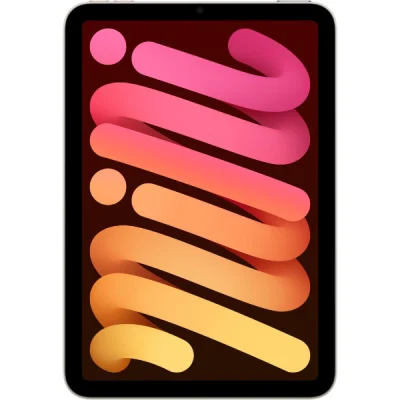
Apple iPad Air 13″ (2025) WiFi
- $300.00 – $600.00Price range: $300.00 through $600.00
- Select options This product has multiple variants. The options may be chosen on the product page
- ipad
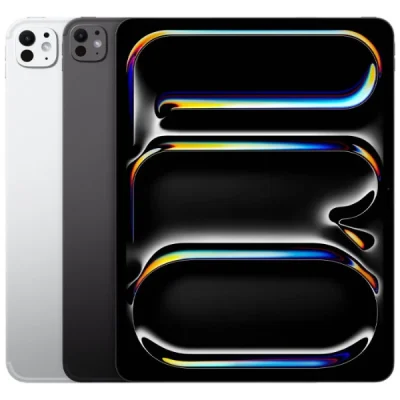
Apple iPad Mini 7 (2024)
- $50.00 – $730.00Price range: $50.00 through $730.00
- Select options This product has multiple variants. The options may be chosen on the product page
- Apple iPad 11 Series, ipad
Apple iPad Pro 11 (2024) Cellular
- $550.00 – $850.00Price range: $550.00 through $850.00
- Select options This product has multiple variants. The options may be chosen on the product page
- Apple iPad 11 Series, ipad
Apple iPad Pro 11 (2024) WiFi
- $500.00 – $800.00Price range: $500.00 through $800.00
- Select options This product has multiple variants. The options may be chosen on the product page
- Apple iPad 13 Series, ipad
Apple iPad Pro 13 (2024) Cellular
- $750.00 – $1,050.00Price range: $750.00 through $1,050.00
- Select options This product has multiple variants. The options may be chosen on the product page
- Apple iPad 13 Series, ipad
Apple iPad Pro 13 (2024) WiFi
- $700.00 – $1,000.00Price range: $700.00 through $1,000.00
- Select options This product has multiple variants. The options may be chosen on the product page
Give Your Unused iPad a New Purpose
An iPad does not need to be the latest model to be worth checking. Depending on its specifications and condition, a tablet you no longer need may still have value.
Rather than leaving your device unused, you can explore the available offer and decide whether selling suits your needs.
Your iPad’s value depends on factors such as its model, generation, storage capacity, connectivity and physical condition. Providing accurate details helps ensure the assessment reflects the device you intend to sell.
Find Your Apple iPad Model
Apple produces several iPad models with different screen sizes, storage options and connectivity features.
Our available models include the Apple iPad 11-inch A16, Apple iPad Air 11-inch 2024 Cellular, Apple iPad mini 7 2024 and Apple iPad Pro 11-inch 2024 WiFi.
Additional iPad Air and iPad Pro models are available in selected Wi-Fi and cellular versions.
If you are unsure which iPad you own, open Settings > General > About to check the model information and storage capacity.
How to Sell Your iPad
1. Find Your Model and Check the Available Offer -
Choose the iPad that matches your device and select the appropriate storage capacity, connectivity and condition.
Describe any scratches, cracks or other faults accurately so the available offer reflects your device’s condition.
2. Prepare and Send Your Device -
If you decide to proceed, follow the shipping instructions provided.
Back up any information you want to keep, sign out of your Apple Account, turn off Find My and erase your personal data before sending your iPad.
3. Receive Payment After Assessment -
Once your iPad arrives, it will be inspected to confirm its model, specifications and condition.
Payment can be arranged after the device has been assessed and approved.
An Alternative to an iPad Trade-In
An iPad trade-in may involve exchanging your device for store credit or putting its value towards another purchase.
Selling through Sell Your Mobile gives you another option. You can check your iPad’s available value and receive payment after assessment without needing to purchase a replacement device.
This can be a practical choice if you have already upgraded or no longer need a tablet.
What Determines Your iPad’s Value?
Every iPad is assessed according to its individual specifications and condition.
Factors that may influence the available offer include:
- Model and generation: Different iPad, iPad Air, iPad mini and iPad Pro generations can have different values.
- Storage capacity: The amount of available storage may affect the quoted amount.
- Connectivity: Wi-Fi-only and cellular models can be valued differently.
- Physical condition: Scratches, dents, cracked screens and other visible damage may affect the assessment.
- Functionality: Charging, touchscreen performance, cameras, buttons and other features may be considered.
- Battery condition: Battery performance can contribute to the overall assessment.
- Apple Account status: Devices should have Find My disabled and Activation Lock removed before they are sent.
- Current demand: Offers may change depending on demand for particular models.
Two iPads that appear similar can receive different offers if their specifications or condition are not the same.
Can You Sell an Older or Damaged iPad?
An older iPad may still be eligible for assessment depending on its model, condition and functionality.
Some devices with visible wear, scratches, dents or cracked screens may also have value. However, the extent of any damage can affect the available offer.
If your iPad has significant faults, will not turn on or remains linked to an Apple Account, contact the team before sending it.
Prepare Your iPad Before Sending It
Protect your personal information and help avoid delays by preparing your device before shipping.
- Back up any photos, documents or information you want to keep.
- Sign out of your Apple Account.
- Turn off Find My and remove Activation Lock.
- Erase your content and settings.
- Remove any physical SIM card if your iPad has cellular connectivity.
- Remove or transfer any eSIM if applicable.
- Check the device for damage and confirm its condition matches the details you provided.
- Package the iPad securely before sending it.
For additional information about preparing Apple devices, visit our frequently asked questions page.
FAQ About Selling Your iPad
How can I sell my iPad in Australia?
Find your iPad model in the available listings, select the correct storage and condition, and review the available offer. If you proceed, follow the instructions to prepare and send your device for assessment.
How much is my Apple iPad worth?
The value depends on your iPad’s model, generation, storage capacity, connectivity, condition and functionality. Select the correct device and provide accurate details to check the available offer.
Is selling an iPad the same as an iPad trade-in?
Not necessarily. An iPad trade-in may provide store credit or contribute towards another purchase. Selling your iPad through Sell Your Mobile allows you to receive payment after the device has been assessed and approved.
Can I sell an iPad Air, iPad mini or iPad Pro?
Yes. Selected iPad Air, iPad mini and iPad Pro models are available. Browse the product listings to find the device that matches yours.
Can I sell an older iPad?
Older iPads may still have value depending on their model, condition and functionality. Check the available listings to see whether your device is included.
Can I sell an iPad with a cracked screen?
Some damaged iPads may be eligible for assessment. Always describe cracked screens and other faults accurately when selecting your device’s condition.
Does storage capacity affect my iPad’s value?
Yes. Storage capacity may influence the available offer. You can check your device information through Settings > General > About.
When will I receive payment?
Payment can be arranged after your iPad has been received, assessed and approved.
What if my iPad is not listed?
Contact the Sell Your Mobile team for help identifying your device and checking whether a suitable listing is available.
Contact Us Today
Need help identifying your iPad or understanding the selling process? Contact our team for assistance with your device, its condition, available offers or shipping instructions.
Call us today or email support@sellyourmobile.com.au for assistance.
Helpful Reading Before Selling Your iPad
Learn what affects your Apple iPad’s value, explore trade-in options and discover how to prepare your device before selling.


